Android E-Commerce App
A complete, customer-facing native Android shopping application built with Java, XML, Android Studio, and Firebase. Designed to demonstrate modern mobile app architecture, Cloud Firestore collection evolution, Google Sign-In authentication, PayHere payment integration, and PDF invoice generation.
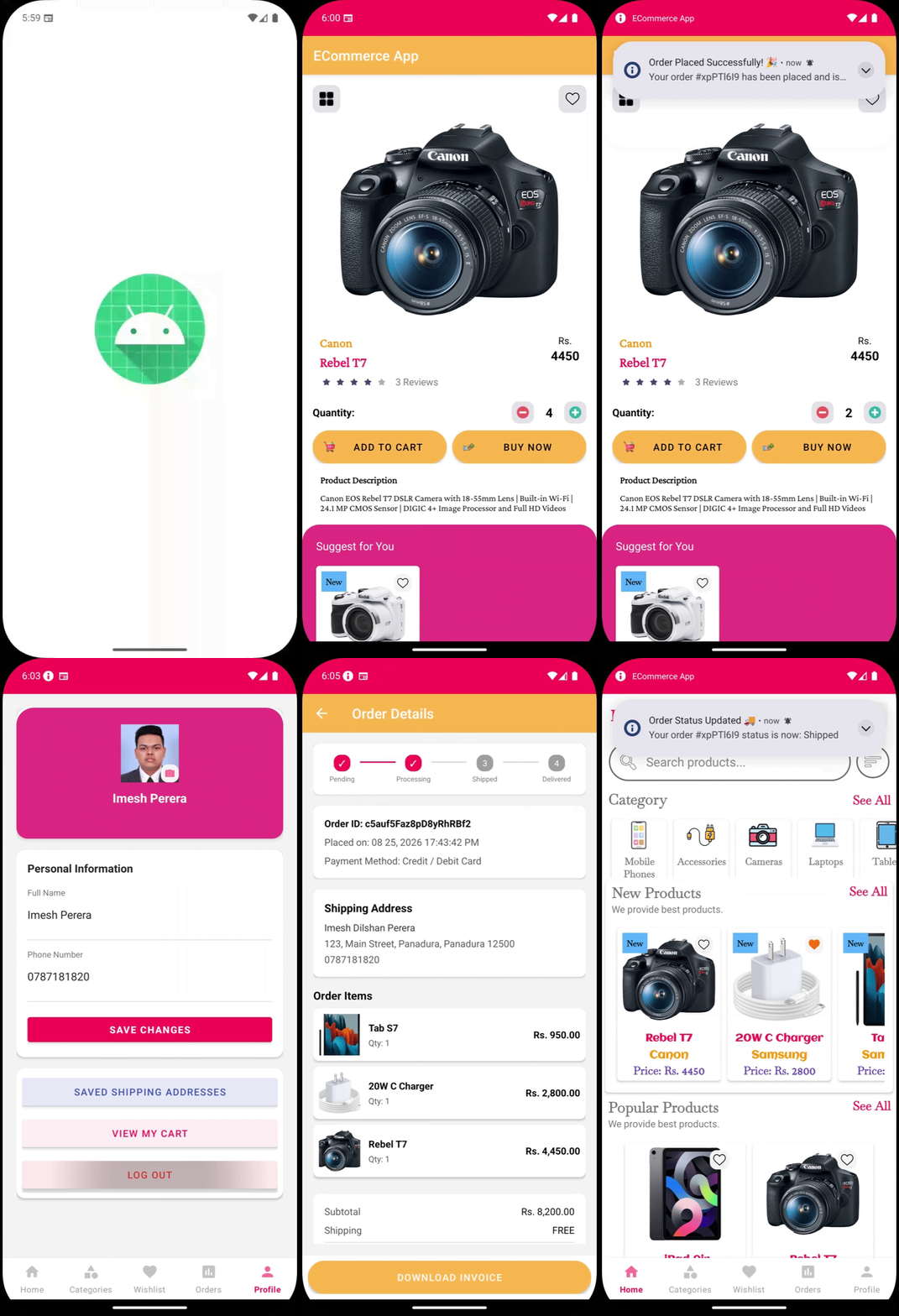
Project Overview & Scope
Developed as an Academic Project, this Android application demonstrates how to build a scalable, production-standard mobile e-commerce platform using native Java and Firebase cloud infrastructure.
The project is structured so that a developer can clone the repository, set up their own Firebase project, initialize Cloud Firestore database collections, and run a complete shopping workflow with user accounts, cart operations, checkout payment integration, and PDF receipt downloads.
Application Component Architecture
The application separates workflow control into dedicated Activities for specific user screens and host Fragments for tabbed navigation and bottom sheets:
| Activity / Component | Associated XML Layout | Functional Responsibility |
|---|---|---|
| MainActivity | activity_main.xml | Host container managing BottomNavigationView and tabbed fragment switching. |
| OnBoardingActivity | activity_on_boarding.xml | First-launch interactive slider introducing app features to new users. |
| LoginActivity | activity_login.xml | Email/password authentication and Google Sign-In integration. |
| SingleproductActivity | activity_singleproduct.xml | Detailed product view with stock selector, wishlist toggle, and related items. |
| CartActivity | activity_cart.xml | Active shopping cart management with real-time bill calculations and quantity modifiers. |
| CheckoutActivity | activity_checkout.xml | Address selection, PayHere payment integration, and order placement processing. |
| OrderDetailActivity | activity_order_detail.xml | Post-purchase tracking, item breakdown, and downloadable PDF receipts. |
Fragments Navigation Sub-system
Features auto-scrolling promo banners, category chips, shimmer loading skeletons, and new arrivals.
Organizes products into structured department tiles for category filtering.
Displays bookmarked products with empty state fallback illustrations.
Modal sheet with dynamic price sliders, rating filters, and sorting choices.
How Cloud Firestore Data Evolves
The application's database structure starts with 2 main catalog seed collections and dynamically creates customer collections as users interact with the app:
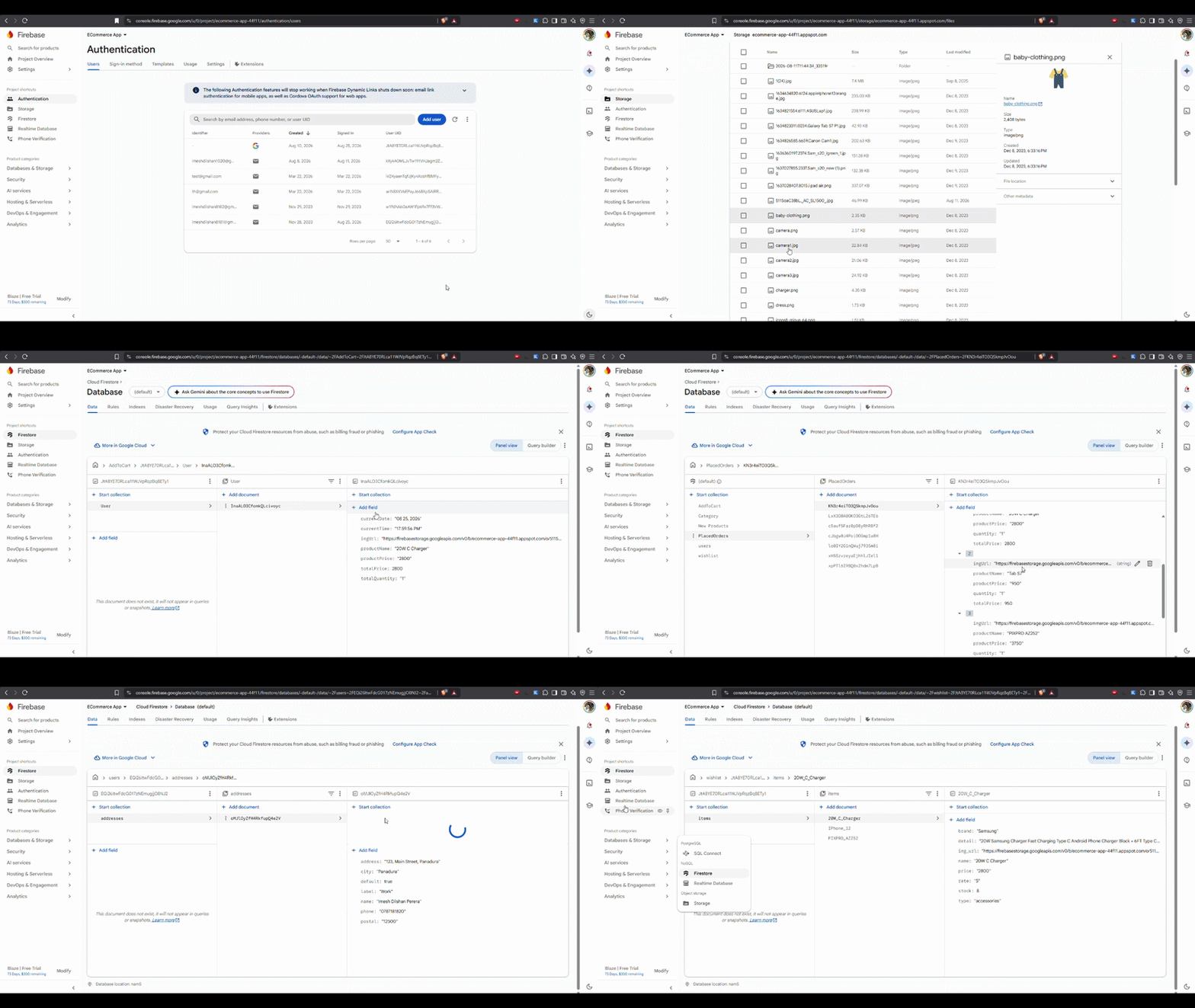
1 Initial Main Catalog Collections (Pre-seeded)
Loaded initially via firestore_seed.json when the database is setup:
2 User-Triggered Dynamic Collections
As users perform actions in the app, new collections are automatically created and synced in Firestore:
-
CurrentUser (Users): Created upon user registration or Google Sign-In to store user profile info.
-
Wishlist: Added under the user's node when a user bookmarks a product.
-
AddToCart: Created when products are added to cart, managing quantity modifications.
-
Address: Generated when users add shipping delivery addresses during checkout.
-
MyOrder: Created when an order is completed, preserving order items and transaction status.
Technology Stack
| Technology | Purpose |
|---|---|
| Java | Android application development |
| XML | Android UI design |
| Cloud Firestore | Cloud database for products, categories, cart, wishlist, and orders |
| Firebase Authentication | User login, registration, and Google Sign-In |
| PayHere SDK | Payment gateway integration |
| Gson | Data parsing |
| Firebase Cloud Messaging | Push notifications |